NPHIES integration for eligibility, approvals and claims
AndroHealth is certified on NPHIES, the National Platform for Health and Insurance Exchange Services. Your team handles insurance work from the patient record: eligibility checks, prior authorizations, claims submission and tracking, payment reconciliation and pharmacy claims.
What you can do through NPHIES
Eligibility verification
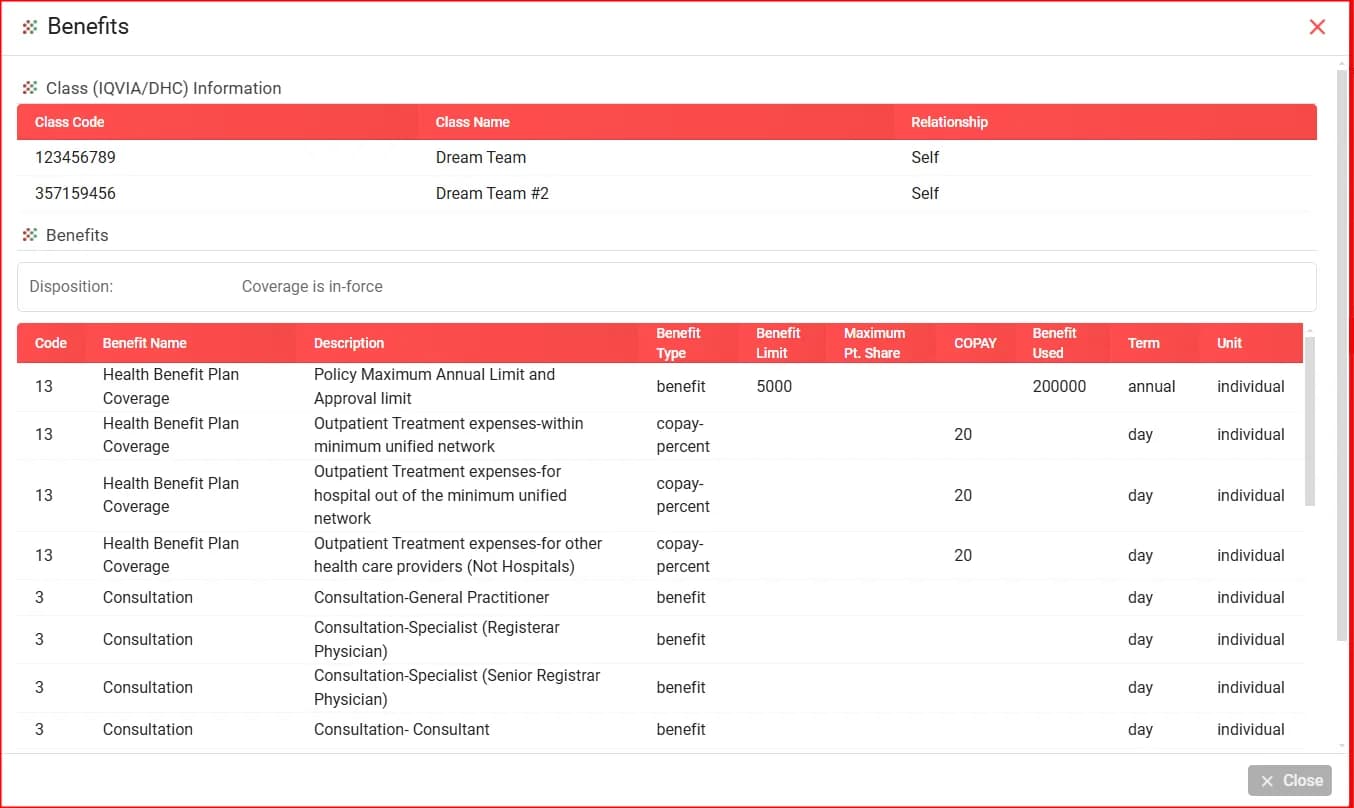
Before care is delivered, send a Discover request to confirm coverage, or Discover + Benefits to retrieve the plan, benefit limits and copay. Policy details fill into the patient record automatically.
Prior authorization
Submit prior-authorization requests electronically for services that need insurer approval, such as surgery, advanced imaging and specialty medication, then track them and receive the response in the system. Manual cases can be recorded as an offline authorization with its number and validity dates.
Claims submission and tracking
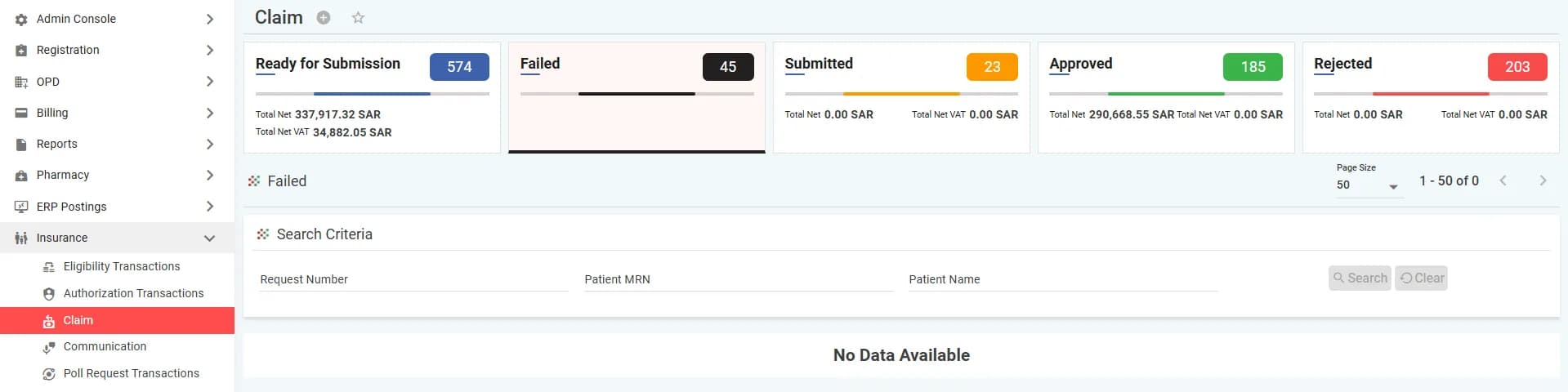
Claims are built from the visit: diagnoses, procedures and billing. Choose a priority (normal or deferred), attach supporting documents, then follow each claim through five statuses: ready, submitted, approved, failed and rejected.
Payment reconciliation
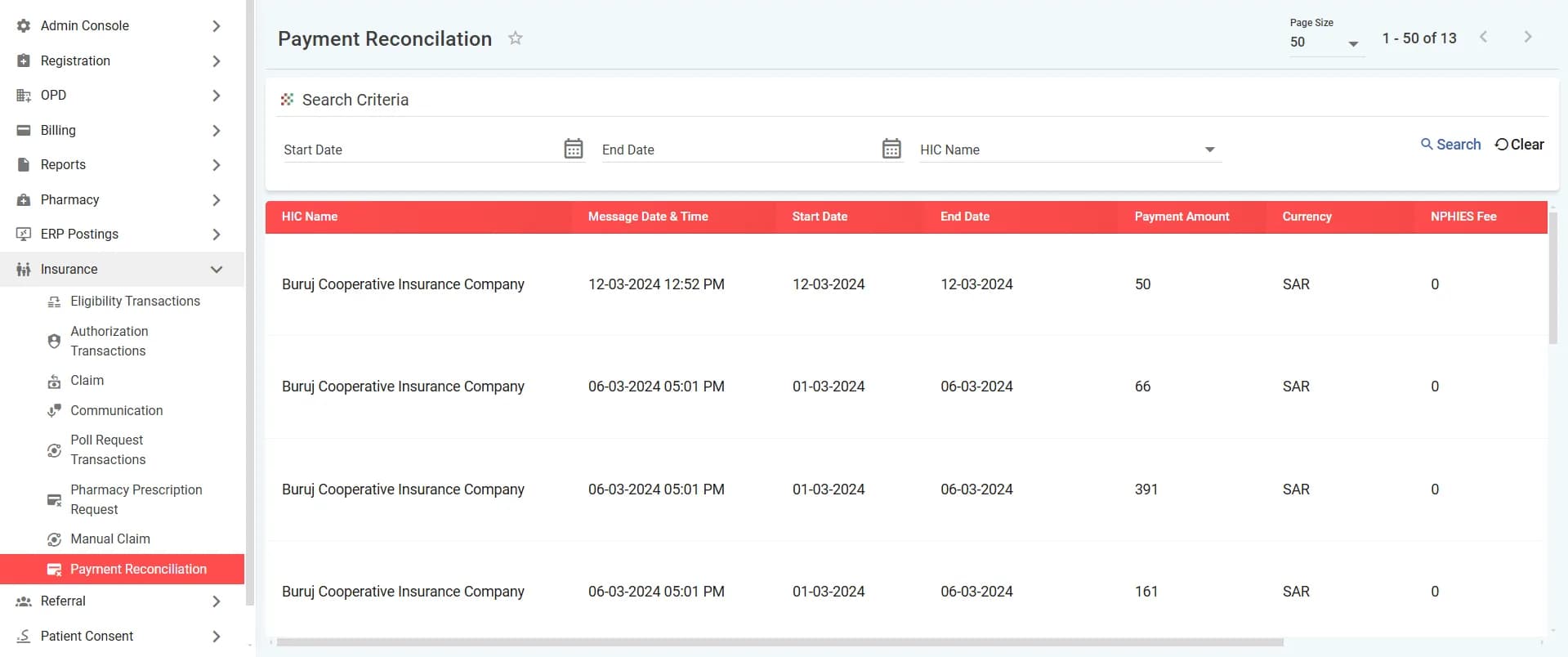
Each insurer's payments are listed with the message date, settlement period, amount and NPHIES fee, and matched against submitted claims so finance can see the differences.
Pharmacy claims
Send prescription requests and pharmacy claims to NPHIES from the AndroHealth pharmacy workflow.
Insurer communication
Exchange messages and attachments with the insurer about a request or claim, and retrieve pending NPHIES responses with poll requests.
How a claim moves, step by step
Registration and eligibility
When the patient registers, check coverage from the Payer tab in their record.
Prior authorization when needed
If the service needs approval, send the request and receive the response before delivering it.
Document the visit
The doctor records diagnoses and procedures, and the bill is priced from the insurer's price list.
Validate and submit
Required fields and ICD-10 codes are checked before sending, then the claim goes to NPHIES.
Track and correct
Follow the claim to approval, resend failed claims once corrected, and review rejection reasons.
Reconcile payments
Match the insurer's payments against approved claims.
Inside the system
Screens from the AndroHealth user manual.
Built to NPHIES technical requirements
- HL7 FHIR messaging as NPHIES requires, with a viewer for every request and response.
- ICD-10 diagnosis codes validated before sending.
- Secure, certificate-based communication.
- A complete audit trail for every transaction.
Fewer errors before submission
- Every field checked before it is sent to NPHIES.
- Only valid, current ICD-10 codes accepted.
- Missing required fields flagged before submission.
- A history of past rejections and their reasons, to avoid repeats.
Before you start
From your facility
Your facility's NPHIES credentials, and its contracts and price lists with insurers.
From the AndroHealth team
Configuring your NPHIES credentials, setting up insurers with their price lists and service mapping, and training your staff in online sessions.
Fees
NPHIES integration is an add-on with fees separate from the subscription. Contact our sales team for a quotation. Subscription options
Scope
This integration covers health-insurance transactions through NPHIES. It is not a connection to the national unified health record.
NPHIES integration: frequently asked questions
Ready to transform your healthcare facility?
Start your free trial today and see the difference.