How to Connect Your Healthcare Facility to NPHIES: The Steps
A practical guide to NPHIES integration for Saudi healthcare facilities: the NPHIES ID, the NPHIES Academy, unified portal registration, system setup, and the daily workflow after you connect.
In Saudi Arabia, health-insurance transactions between providers and insurers run electronically through NPHIES. This guide walks through the connection in order: what the platform asks of your facility, what to prepare in your system, and how daily work runs afterwards.
What is NPHIES?
NPHIES is a digital platform that links healthcare providers, insurance companies and beneficiaries. It was implemented under the leadership of the Council of Health Insurance, in cooperation with the National Health Information Center, with the supervision and support of the Ministry of Health (About NPHIES).
The services that matter to your insurance desk:
- Treatment eligibility checks.
- Prior approval management.
- Claims management and claims payment.
- Communication with the insurer to exchange supporting documents.
- Status inquiries on a claim or a prior approval.
The three steps NPHIES asks of a facility
According to the healthcare provider registration page on the NPHIES website:
- Get your NPHIES ID. Sign in to the Seha platform to get your facility's NPHIES ID, the 14-digit unified number, then fill in the NPHIES registration form.
- Complete the qualification and training. Register at the NPHIES Academy and finish the required qualification and training.
- Register on the unified NPHIES portal. Prepare and upload the required documents: the authorization form stamped by the Chamber of Commerce, the authorised person's ID, and the NPHIES Academy certificate.
Requirements can change, so check the official page before you start. For questions, the NPHIES contact centre is on 920033808 or support@nphies.sa.
Choose a system that is connected to NPHIES
NPHIES works on the HL7 FHIR standard, so your facility needs a system that sends these transactions and receives the replies instead of manual work. NPHIES publishes a list of system vendors, which includes Andromeda Information Technology, the developer of AndroHealth.
When you compare systems, check that the system covers the transactions your facility needs: eligibility, prior authorization, claims, payment reconciliation, and pharmacy claims if you run a pharmacy.
Prepare the system before the first transaction
- NPHIES credentials: your facility's credentials are entered in the system.
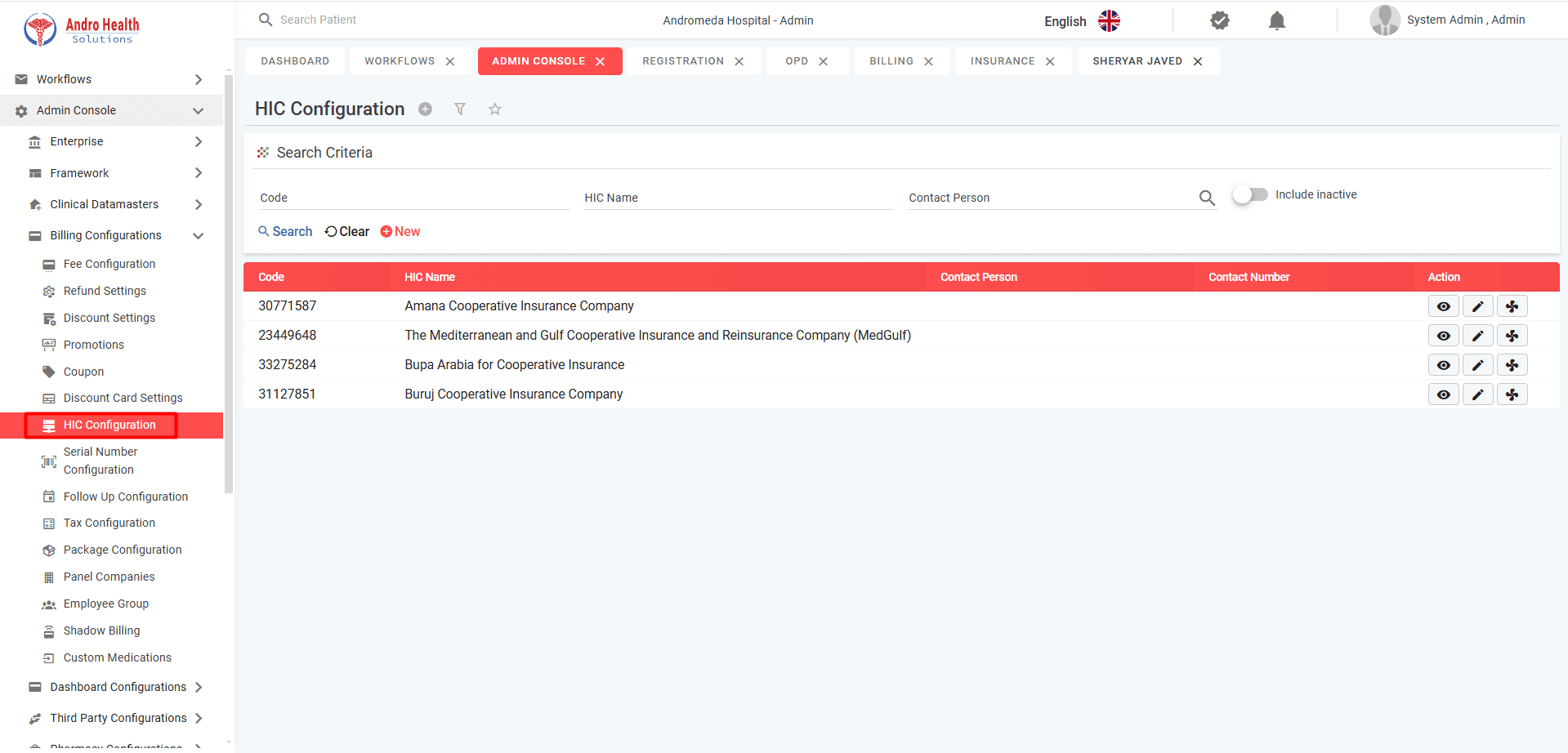
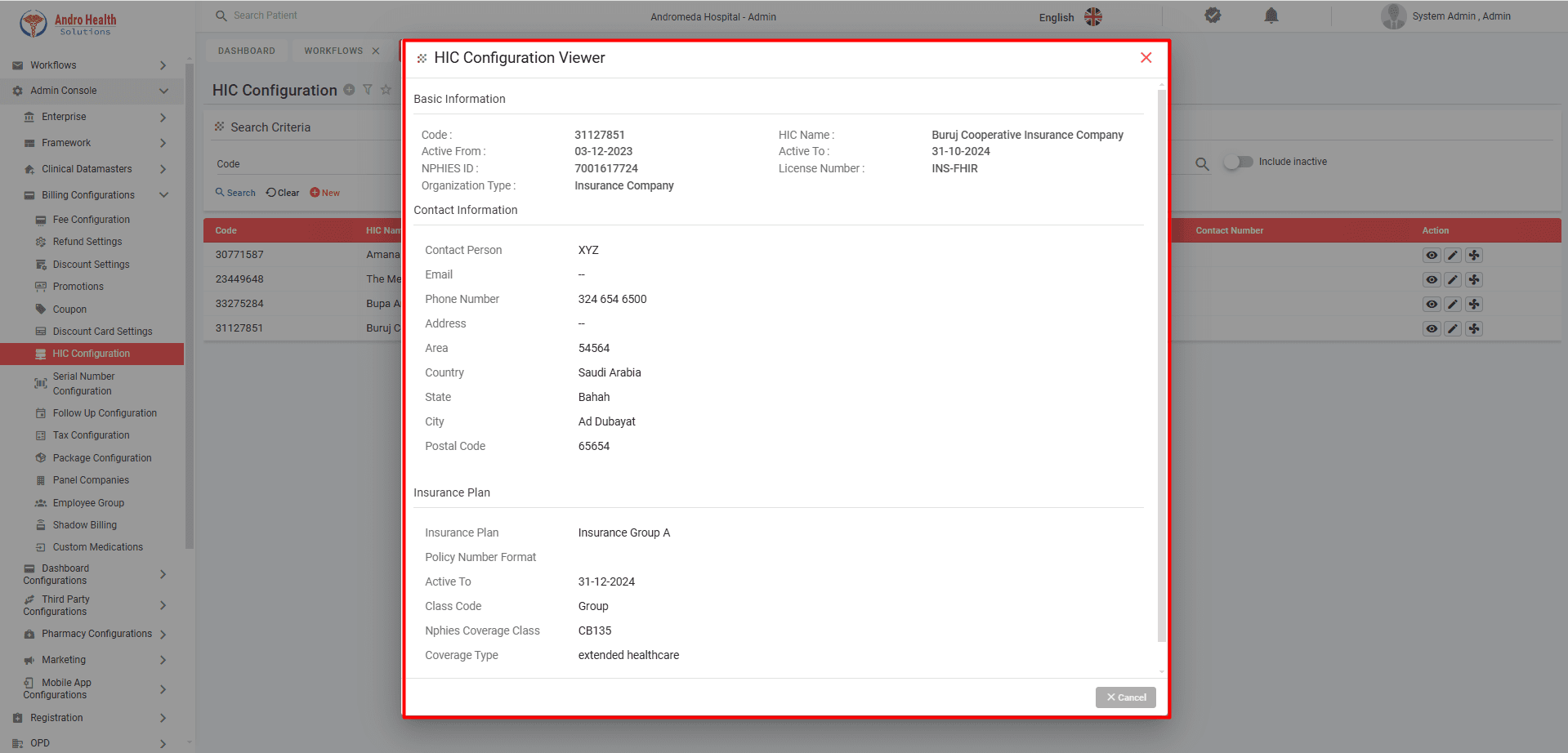
- Insurance companies: each insurer the facility contracts with is set up with its NPHIES ID and licence number, plus its insurance plans and agreed price lists.
- The team: reception and insurance staff are trained to check eligibility, request approvals and submit claims.
With AndroHealth, our team sets up the credentials, configures the insurers with their price lists, and trains your team in online sessions.
How daily work runs after you connect
- Registration and eligibility: when the patient is registered, a request confirms their insurance cover.
- Prior authorization when needed: if the service needs approval, the request is sent and the reply received before the service.
- Documenting the visit: the doctor records the diagnosis and procedures, and the invoice follows the insurer's price list.
- Validation and submission: required fields and ICD-10 codes are checked, then the claim is submitted to NPHIES.
- Follow-up and correction: the claim is tracked to approval; failed claims are corrected and resent.
- Payment reconciliation: insurer payments are matched against approved claims.
Common mistakes that delay claims
The most common reasons claims are rejected: incorrect ICD-10 codes, missing fields, and services that needed a prior authorization nobody requested. Checking before submission catches these before the claim reaches the insurer.
Frequently asked questions
How long does it take to switch on? Once your facility has its NPHIES credentials, the AndroHealth team usually switches on the integration within one to two days.
Is NPHIES integration included in the AndroHealth subscription? NPHIES integration is an add-on, priced separately from the subscription. Request a quote.
Does the integration cover the national unified health record? No. AndroHealth's NPHIES integration covers health-insurance transactions. It is not a connection to the national unified health record.
What documents are needed in detail? See NPHIES integration requirements: a checklist before you connect.
Next step
Read about NPHIES integration in AndroHealth, or request a demo to see the claim journey inside the system.
Try AndroHealth for Free
Request a 7-day free trial, extendable if needed, and discover how AndroHealth can transform your healthcare facility management
Related Articles
November 19, 2026
NPHIES Integration Requirements: A Checklist Before You Connect
What does your facility need to integrate with NPHIES? A checklist of the requirements: what the NPHIES platform asks for, what the facility prepares, and what your system must provide.
November 19, 2026
How to Choose Clinic Management Software in Saudi Arabia: 8 Questions to Ask
Eight questions that help you choose the right clinic management software in Saudi Arabia: specialty, appointments, medical records, invoicing, NPHIES, cloud, support and price.
November 19, 2026
Hospital Management System in Saudi Arabia: What It Is, Its Modules and What Drives the Cost
A plain explanation of the hospital management system (HIS): what it does, its core modules, what healthcare facilities in Saudi Arabia need from it, and what drives its cost.